

The list of shops and places below are in a deliberate order: the sequential order of the 100 syllables (which was presented in an earlier lesson).
| Digits | Syllable | Place for 10 Items |
| 00 | BO | Big tOp Circus |
| 01 | BI | Biscuits |
| 02 | BA | Banking |
| 03 | BE | Bed shop |
| 04 | BU | Butchers |
| 05 | CHO | Clothes shop |
| 06 | CHI | China porcelain shop |
| 07 | CHA | Distance telephone call shop |
| 08 | CHE | Election polling station |
| 09 | CHU | Church or other spiritual place |
| 10 | DO | Doctor |
| 11 | DI | Digger engineers |
| 12 | DA | Dairy |
| 13 | DE | Dentist |
| 14 | DU | Dump |
| 15 | FO | Football club |
| 16 | FI | Fish shop |
| 17 | FA | Factory |
| 18 | FE | Fence wood and DIY supplies |
| 19 | FU | Furniture store |
| 20 | GO | Golden beach |
| 21 | GI | Gift shop |
| 22 | GA | Garage car showroom |
| 23 | GE | Geography Surveyor |
| 24 | GU | Gunnery on castle walls |
| 25 | HO | Hotel |
| 26 | HI | party Hire business |
| 27 | HA | Hat shop |
| 28 | HE | Health food shop |
| 29 | HU | Hunting and Camping |
| 30 | JO | Job centre |
| 31 | JI | Gym |
| 32 | JA | Jazz club |
| 33 | JE | Jewellers |
| 34 | JU | Juice bar |
| 35 | KO | Court house |
| 36 | KI | Cinema |
| 37 | KA | Café |
| 38 | KE | Camera shop |
| 39 | KU | Home Interiors Shop |
| 40 | LO | Local newspaper |
| 41 | LI | Library |
| 42 | LA | Launderette |
| 43 | LE | Leisure Centre |
| 44 | LU | Liquid store / Liquor store |
| 45 | MO | Models (hobbyist) |
| 46 | MI | Mini-cab office |
| 47 | MA | Mail post office |
| 48 | ME | Medals shop |
| 49 | MU | Musical instrument store |
| 50 | NO | North wind Weather forecast |
| 51 | NI | Nineteenth century gardens |
| 52 | NA | National train station |
| 53 | NE | Nearly New |
| 54 | NU | Neurologist |
| 55 | PO | Police station |
| 56 | PI | Pizza delivery shop |
| 57 | PA | Park |
| 58 | PE | Pet shop |
| 59 | PU | Pub or Public Refreshments |
| 60 | RO | Roman bath |
| 61 | RI | Reservoir |
| 62 | RA | Race course |
| 63 | RE | Restaurant |
| 64 | RU | Community Hall |
| 65 | SO | Solarium and beauty salon |
| 66 | SI | Silicon computer goods |
| 67 | SA | Sandwich shop |
| 68 | SE | Sewing shop |
| 69 | SU | Supermarket |
| 70 | SHO | Shoe shop |
| 71 | SHI | Ship yard |
| 72 | SHA | Shale walk |
| 73 | SHE | Shelf-fitting of empty store |
| 74 | SHU | School |
| 75 | TO | Toy shop |
| 76 | TI | Tyre shop |
| 77 | TA | Taylor |
| 78 | TE | Television store |
| 79 | TU | Turning Screw Vending Machine (Arcade) |
| 80 | VO | Prison |
| 81 | VI | Village blacksmith |
| 82 | VA | Vaccination clinic |
| 83 | VE | Venetian Canal |
| 84 | VU | View - art gallery |
| 85 | WO | World travel shop |
| 86 | WI | Wine bar |
| 87 | WA | Wall Decorators |
| 88 | WE | Wetlands area |
| 89 | WU | Wood crafts store |
| 90 | YO | Youth club |
| 91 | YI | Opera |
| 92 | YA | Airport |
| 93 | YE | Building site - Levels within Architecture |
| 94 | YU | Sports ground |
| 95 | ZO | Zoo |
| 96 | ZI | Kindergarten |
| 97 | ZA | Cases and luggage shop |
| 98 | ZE | Kebab shop |
| 99 | ZU | Universal hairdresser |
You can find an image for each of these types of shop or location.
You might even seek 10 locations per shop type. Eg. 10 photos of banks; and, by learning them in sequence, have 100 x 10 locations to recall in sequence.
Image Archives
Online, I can go to a site like Flickr where I can use its search engine to type:
bakery person
It returns to me a big list of photos with at least one person in a bakery or bakery related situation. Eg. Maybe someone is holding a baguette in a kitchen.
Consider that I have a law case to remember facts about: Saloman vs Saloman. If I can have an image of a person who, for my purposes, is the start of a story for remembering that law case's facts, then I can learn the visual story in sequence and thus recall case facts in sequence. That's the theory..
But if the facts are being prompted by AA-ZZ image words and 00-99 number images then the story might become quite messy to learn.
You can reduce the clutter by having a sequential list of actions (see the Actions article); and the person can be imagined doing each action in sequence; and the revision note item is the recipient of the action.
The person doing Action 001 means that what they do the action to is fact number 1 that I want to recall.
The person doing Action 002 means that what they do the action to is fact number 2 that I want to recall.
The person doing Action 003 means that what they do the action to is fact number 3 that I want to recall.
But a further approach to memorising the points in sequence is to use imaginary locations that exist in a sequence. You can imagine each fact's visual object at each location; or maybe you can imagine a few of the essay points at each location. So, rather than a person being the launch point of the sequence of items to recall, instead, a location would be the starting point; and several of the sequential locations following it might also be used to store essay facts. So, as long as you memorise that the law case's recall begins at that first location, your strong knowledge of the locations' sequence should, in theory, help you to recall the prompts of the essay's keywords.
The use of 100 syllables (eg. 69 = SU = Supermarket) recurs in this course.
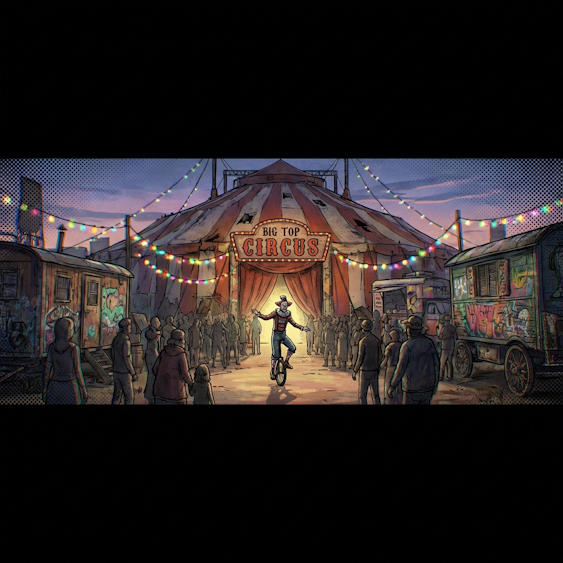
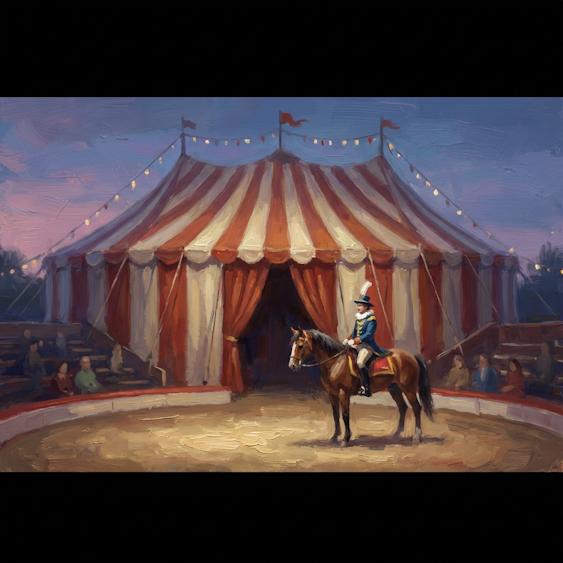
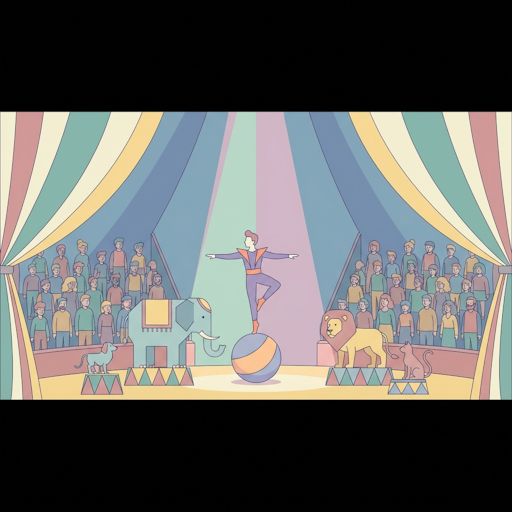
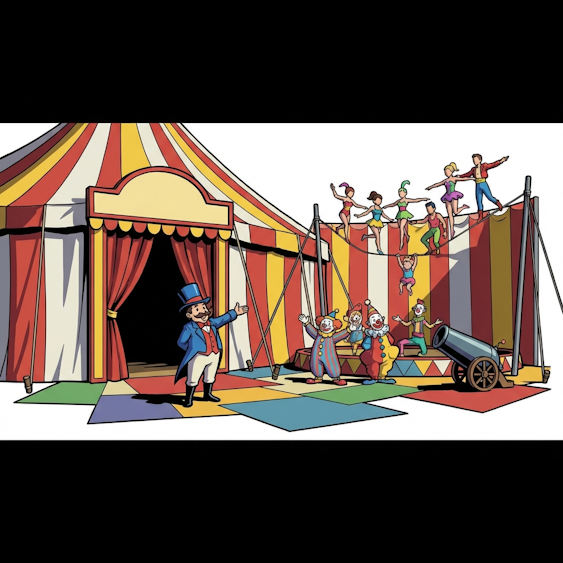
Another source of images is AI picture generation. For the town location of Bank, I can generate 10 scenes by using a lot of my time or by prompting an art AI. Ideally, whatever the themed place (BAnk, BIscuits bakery, etc.), scenes 01 to 10 each have their own theme that helps you to remember the scene. For instance, 10 art styles so tha scene 01 always uses the same art style, scene 02 always uses art style 2, etc. Here are 10 possible themes:
Note about the 10 sub-locations: Sub-Location 01 would always use the same animation style regardless of whether it relates to BIscuits or BAnking, etc.
| Numbering | Ten art styles for the 10 items associated with a Bloke Town 'Shop' or Themed Location |
| 01 | Hand-painted 3D textures, halftone patterns, chromatic aberration, comic book ink lines on 3D models, mixed framerates, street art aesthetic. |
| 02 | Mildly impressionistic brushstrokes, visible oil paint texture, thick impasto, concept art style, digital gouache, slightly soft edges. |
| 03 | Contemporary 2D animation style, thin clean line art, comic character design, Vibrant pastel colors with high opacity palette, flat shapes. CRITICAL: Thick, creamy pastel tones; avoid transparency. |
| 04 | Flat vector illustration, bold geometric shapes, sharp edges, no outlines, minimalist high-contrast graphic design. |
| 05 | Anime cel-shading, flat colors with hard shadows, high-contrast ink outlines, 2D-shaded 3D render. |
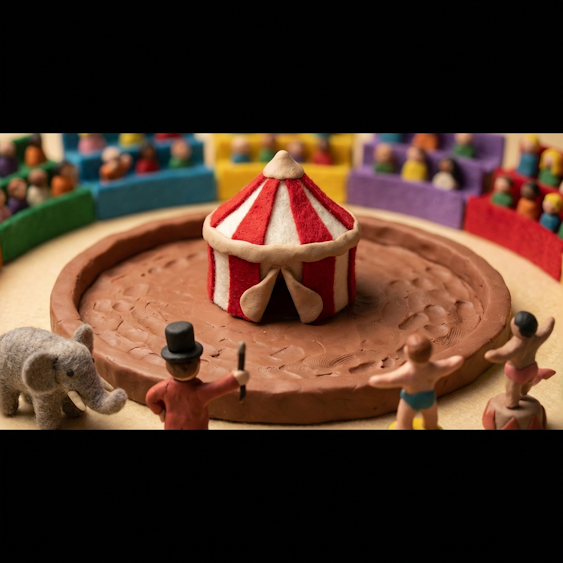
| 06 | Macrophotography of felt and clay, fingerprints on plasticine, handcrafted textures, miniature diorama, tilt-shift lens effect. |
| 07 | Layered parallax illustration, watercolor wash on paper, storybook aesthetic, hand-drawn textures on flat planes. |
| 08 | PS1-style jittery textures, chunky polygons, dithered colors, retro-gaming aesthetic, cozy warm lighting, pixelated edges. |
| 09 | Subsurface scattering on soft fabric, stuffed animal texture, vinyl toy finish, soft-body physics render, squishy rounded forms. |
| 10 | Single-panel newspaper comic style, minimalist ink-wash, mid-century surrealist cartooning, high-brow absurdity aesthetic. |



Here are the places 001 to 250 in a video.
Look at this gallery of 1000 places!.....
Note: If a place image is not easy for you to imagine then you can seek a different place image and use that instead.
Here is Python code I developed for automating the creation of some images of a chosen shop type [not useful for the average person but some visitors might want to use Gemini and Nano Banana to speed up the creation of their image galleries]:
import os
import time
from datetime import datetime
from google import genai
from google.genai import types
from dotenv import load_dotenv
from PIL import Image
from io import BytesIO

# Load environment variables
load_dotenv()

# --- Configuration ---
# Note: Ensure MODEL_NAME is set to a model that supports image generation
MODEL_NAME = 'gemini-3-pro-image-preview'

# The array: [Prompt, Filename]
IMAGE_JOBS = [
["Using art style (without captions or writing) Anime cel-shading, flat colors with hard shadows, high-contrast ink outlines, 2D-shaded 3D render. , using camera angle 'Isolated Full Shot', draw me a scene from a Big Top Circus. CRITICAL: I want the image to be a subpart of a longer image. Using cinema ratio 2.39:1 ; there is a black band across the top and across the bottom to emphasise the wide screen effect.", "BO05.png"],
["Using art style (without captions or writing) Macrophotography of felt and clay, fingerprints on plasticine, handcrafted textures, miniature diorama, tilt-shift lens effect. , using camera angle 'Isolated Full Shot', draw me a scene from a Big Top Circus. CRITICAL: I want the image to be a subpart of a longer image. Using cinema ratio 2.39:1 ; there is a black band across the top and across the bottom to emphasise the wide screen effect.", "BO06.png"],
["Using art style (without captions or writing) Layered parallax illustration, watercolor wash on paper, storybook aesthetic, hand-drawn textures on flat planes. , using camera angle 'Isolated Full Shot', draw me a scene from a Big Top Circus. CRITICAL: I want the image to be a subpart of a longer image. Using cinema ratio 2.39:1 ; there is a black band across the top and across the bottom to emphasise the wide screen effect.", "BO07.png"],
["Using art style (without captions or writing) PS1-style jittery textures, chunky polygons, dithered colors, retro-gaming aesthetic, cozy warm lighting, pixelated edges. , using camera angle 'Isolated Full Shot', draw me a scene from a Big Top Circus. CRITICAL: I want the image to be a subpart of a longer image. Using cinema ratio 2.39:1 ; there is a black band across the top and across the bottom to emphasise the wide screen effect.", "BO08.png"],
["Using art style (without captions or writing) Subsurface scattering on soft fabric, stuffed animal texture, vinyl toy finish, soft-body physics render, squishy rounded forms. , using camera angle 'Isolated Full Shot', draw me a scene from a Big Top Circus. CRITICAL: I want the image to be a subpart of a longer image. Using cinema ratio 2.39:1 ; there is a black band across the top and across the bottom to emphasise the wide screen effect.", "BO09.png"],
["Using art style (without captions or writing) Single-panel newspaper comic style, minimalist ink-wash, mid-century surrealist cartooning, high-brow absurdity aesthetic. , using camera angle 'Isolated Full Shot', draw me a scene from a Big Top Circus. CRITICAL: I want the image to be a subpart of a longer image. Using cinema ratio 2.39:1 ; there is a black band across the top and across the bottom to emphasise the wide screen effect.", "BO10.png"],
]

def log_error_to_file(message):
    timestamp = datetime.now().strftime("%Y%m%d%H%M%S")
    filename = f"ERROR_{timestamp}.txt"
    with open(filename, "w") as f:
        f.write(message)
    print(f"  ⚠️ Error log created: {filename}", flush=True)

def process_image_job(prompt_text, output_filename):
    print(f"\n--- Starting Job: Saving to {output_filename} ---", flush=True)
    print(f"  Prompt: {prompt_text[:50]}...", flush=True)

    # Simple configuration for image generation
    config = types.GenerateContentConfig(
        response_modalities=["IMAGE"],
        image_config=types.ImageConfig(image_size="1024x1024", aspect_ratio="1:1"),
    )

    try:
        client = genai.Client()
        response = client.models.generate_content(
            model=MODEL_NAME,
            contents=prompt_text,
            config=config
        )

        image_part = None
        if response.candidates and response.candidates[0].content.parts:
            for part in response.candidates[0].content.parts:
                if part.inline_data and part.inline_data.mime_type.startswith('image/'):
                    image_part = part
                    break

        if image_part:
            image_data = image_part.inline_data.data

            # Remove existing file if it exists
            if os.path.exists(output_filename):
                os.remove(output_filename)

            image = Image.open(BytesIO(image_data))
            image.save(output_filename)
            print(f"  ✅ Image Saved Successfully: {output_filename}", flush=True)
        else:
            msg = f"No image returned by AI for {output_filename}."
            print(f"  ❌ {msg}", flush=True)
            log_error_to_file(msg)

    except Exception as e:
        error_msg = f"API Error: {str(e)}"
        print(f"  ❌ {error_msg}", flush=True)
        log_error_to_file(error_msg)

if __name__ == "__main__":
    print("🚀 Script Initialized.", flush=True)

    if not os.getenv("GEMINI_API_KEY"):
        print("❌ CRITICAL ERROR: GEMINI_API_KEY not found in .env file!", flush=True)
    else:
        try:
            for prompt, filename in IMAGE_JOBS:
                process_image_job(prompt, filename)

                # Rate limiting / breather
                if [prompt, filename] != IMAGE_JOBS[-1]:
                    time.sleep(2)

        except KeyboardInterrupt:
            print("\n🛑 Stop command received.", flush=True)
        finally:
            print("\n--- All Done! ---", flush=True)